A quick reminder about the two types of radios used in a mesh network:
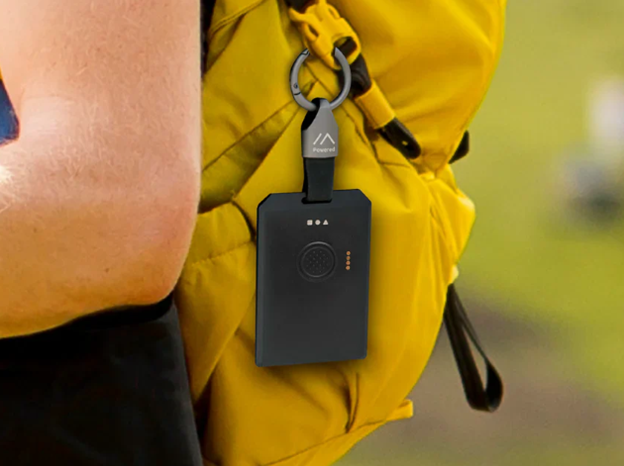
- Companion — your personal device, paired with your phone. Companions are ideally highly portable devices, easy to carry on-body.
- Repeater — infrastructure node, placed in a high/fixed location to extend the network. Durable, ideally solar-powered to be more resilient to interruptions in the power grid.
You don’t need to buy both to get started. If there’s already a repeater network in your area, you just need a companion.
Companion Devices (Your Personal Radio)
Current Recommendation
RAK Tag
- Credit card-sized, water resistant, with a built-in long-life battery and high-performance LoRa antenna.
- Pairs with the MeshCore app on Android and iOS via Bluetooth
- Around $40–50 USD; expect ~$55–70 CAD
Note, a very similar option is Seeed Studio T1000-E, but we recommend the RAK.
There are tons of other companion deevices you can use; this is the one we know is stable and dependable, and is being used by many in our network.
Repeater Devices (Infrastructure Nodes)
Recommended Community Repeater
- SenseCAP Solar Node P1-Pro
- A solar-powered LoRa communication node specifically designed for areas without network coverage Seeed Studio
- Equipped with a 5W solar panel and four 18650 batteries; comes ready to use with battery, antenna, and mounting accessories Seeed Studio
- Best for rooftop or outdoor permanent deployment
- ~$120–180 USD; expect ~$165–250 CAD
This is hands-down the most recommended repeater in use in our network, presently.
A DIY Option
- RAK4631 WisBlock
- Supported MeshCore device GitHub with a strong community following
- Modular design; easy to set up with battery or solar
- ~$40–60 USD for the core module; ~$55–85 CAD
Note: The pricing here is for just the base board; you have to provide all accessories like case, battery, solar panel, etcetera.
Still Not Sure? Start Here.
- Recommendation for first-time buyers: one RAK Tag to start
- Join the MeshCore Discord to ask the community before purchasing
Link to: How to Flash Your Device (next page)